Setup experience for Notion's Custom Agents
Overview
Notion’s Custom Agents are powerful...
Notion’s custom agents allow any team to set up powerful AI workflows to automate tasks like answering questions, automating reports, and triaging tasks.

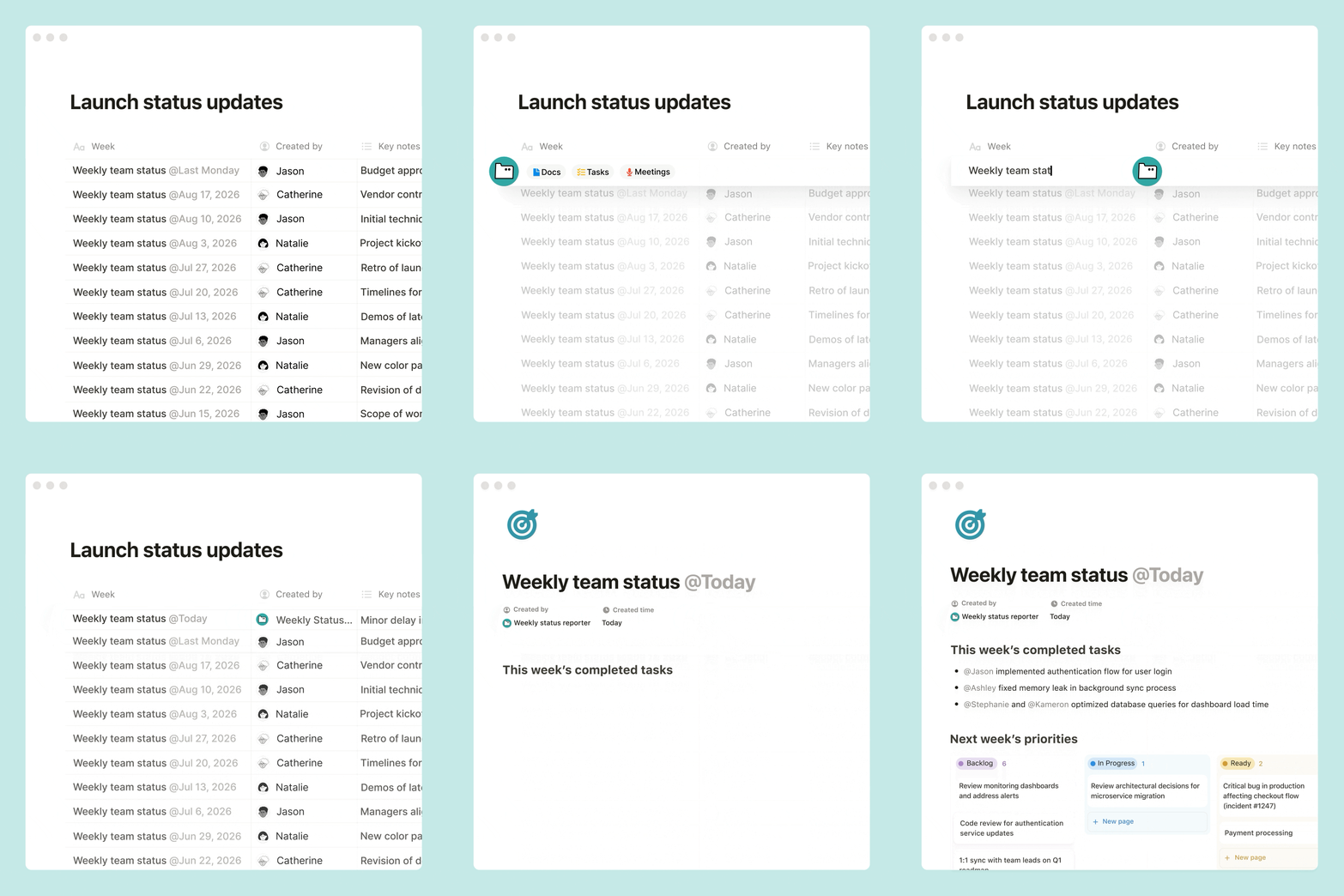

...but with that power comes a setup problem.
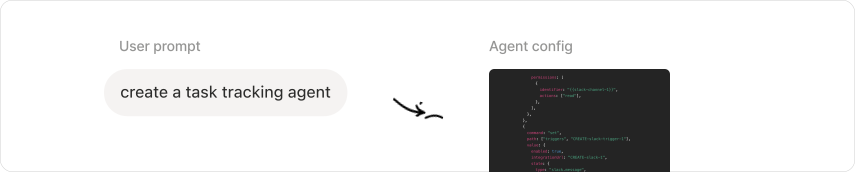
In order to have a functional agent, you first need to set it up with a precise configuration of instructions, triggers, connections, as well as advanced settings.

The challenge lies in translating a broad intent in natural language into deterministic agent configurations.
My role
So my role was to bring setup precision to the chat!
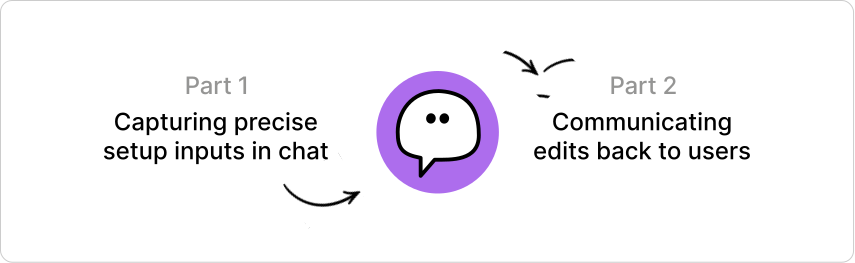
I designed and built composable and scalable patterns for users to set up custom agents from natural language prompts: from capturing precise setup inputs in chat, to communicating those agent edits back to users.
Capturing setup inputs
The setup experience was broken.
When setting up a custom agent, adding connections and specifying entities like Slack channels or Notion pages required users to manually configure them in the agent settings page. This resulted in a broken flow between the chat and the settings page.
Connections
Connections required manual setup in settings
In order to connect an integration to your custom agent, users had to go into the settings and configure it themselves.
Solution: Connection card
Now, a connection card surfaces when the agent detects that a connection is required.
Entities
Specifying entities was unreliable
Specifying entities, like which Slack channels an agent listens to or which Notion pages it can access, sometimes resulted in the agent hallucinating entities that were not actually specified, or just left the user to configure them in settings.
Dropdown in chat
Pick Slack channels from a searchable dropdown without leaving the chat.
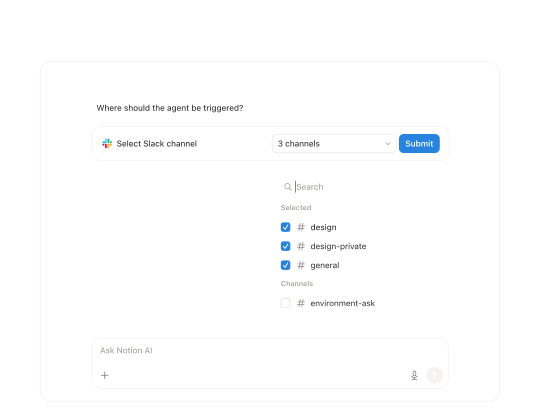
Dropdown in chat
Pick Slack channels from a searchable dropdown without leaving the chat.
Tag input
Type to add channels as tags, answering one setup question at a time.
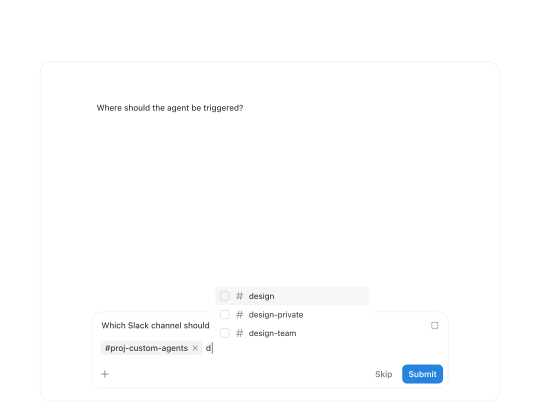
Tag input
Type to add channels as tags, answering one setup question at a time.
Solution: Entity survey tool
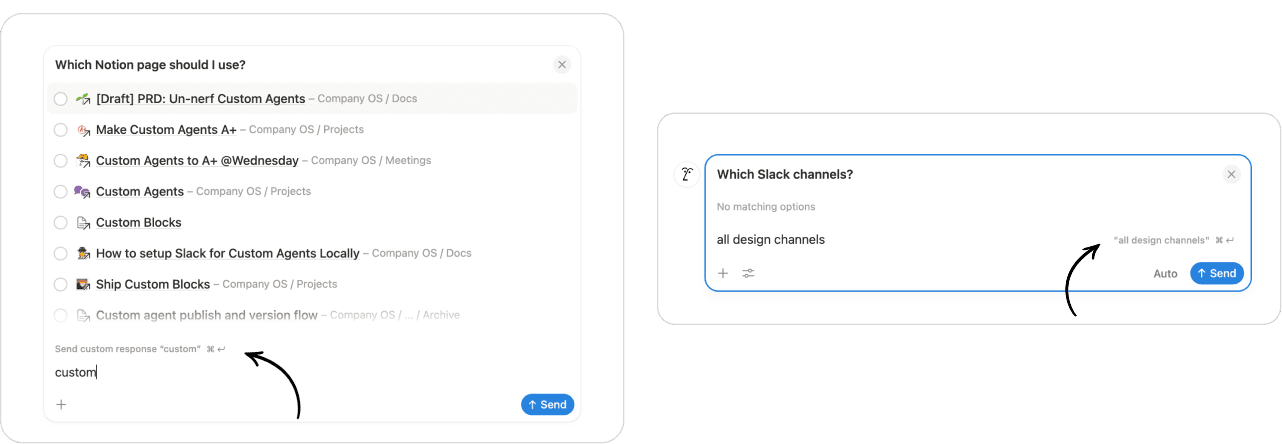
I designed and shipped a survey tool that provides users a list from their actual data to select entities like Slack channels or Notion pages in the chat. This supports single and multiple selection, as well as custom inputs (like an 'other' option).
Communicating edits
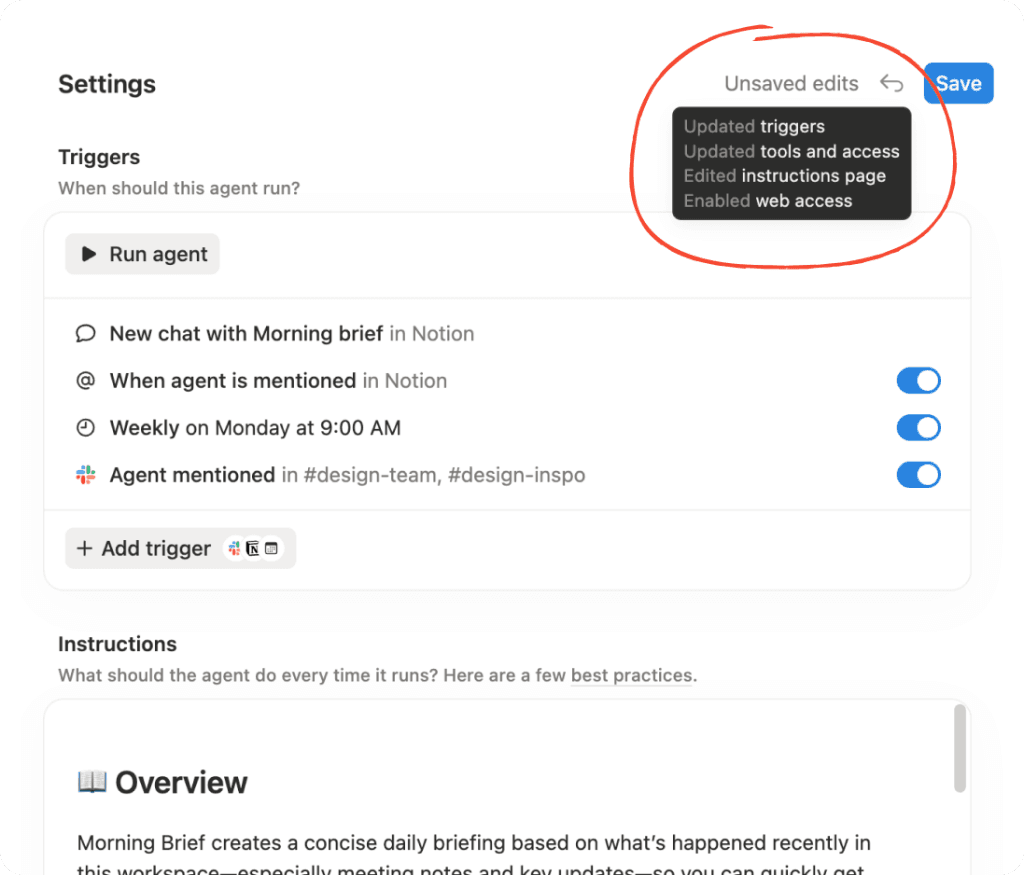
Editing and saving agents was super confusing
When a custom agent had edits, it was unclear what edits were made and when to save the agent.
Problem
When a custom agent had edits, it was unclear what edits were made and when to save the agent.
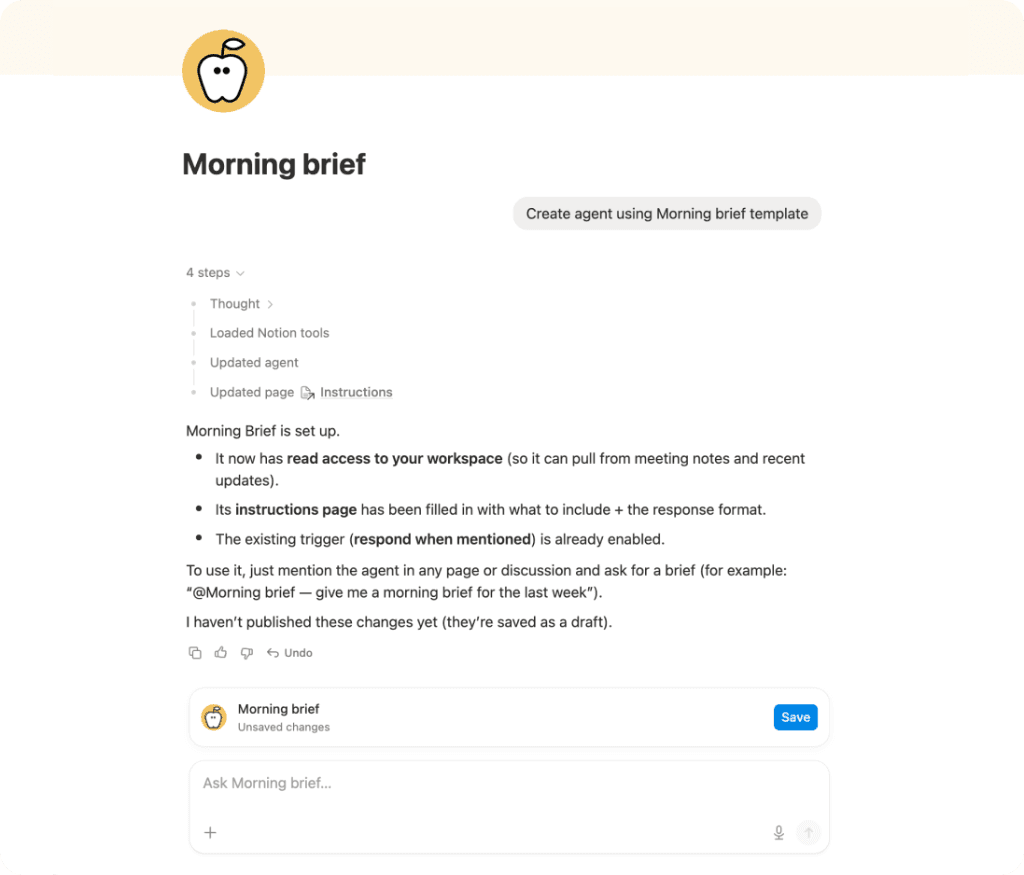
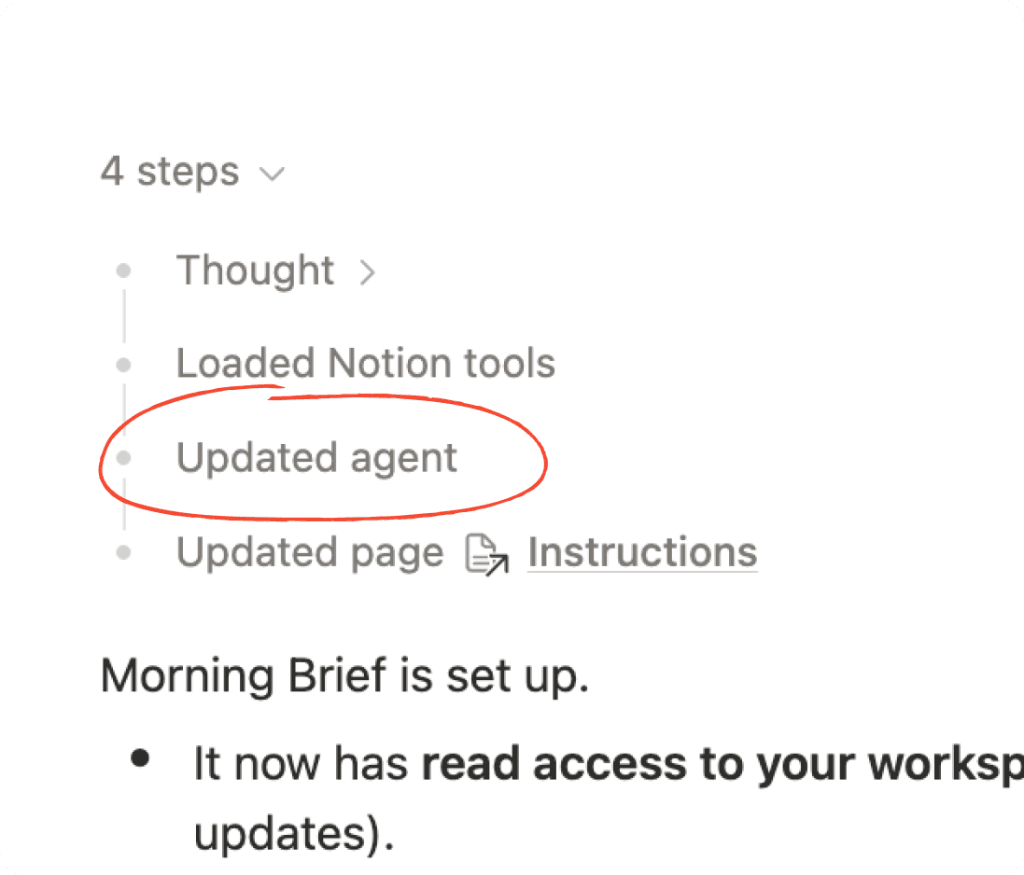
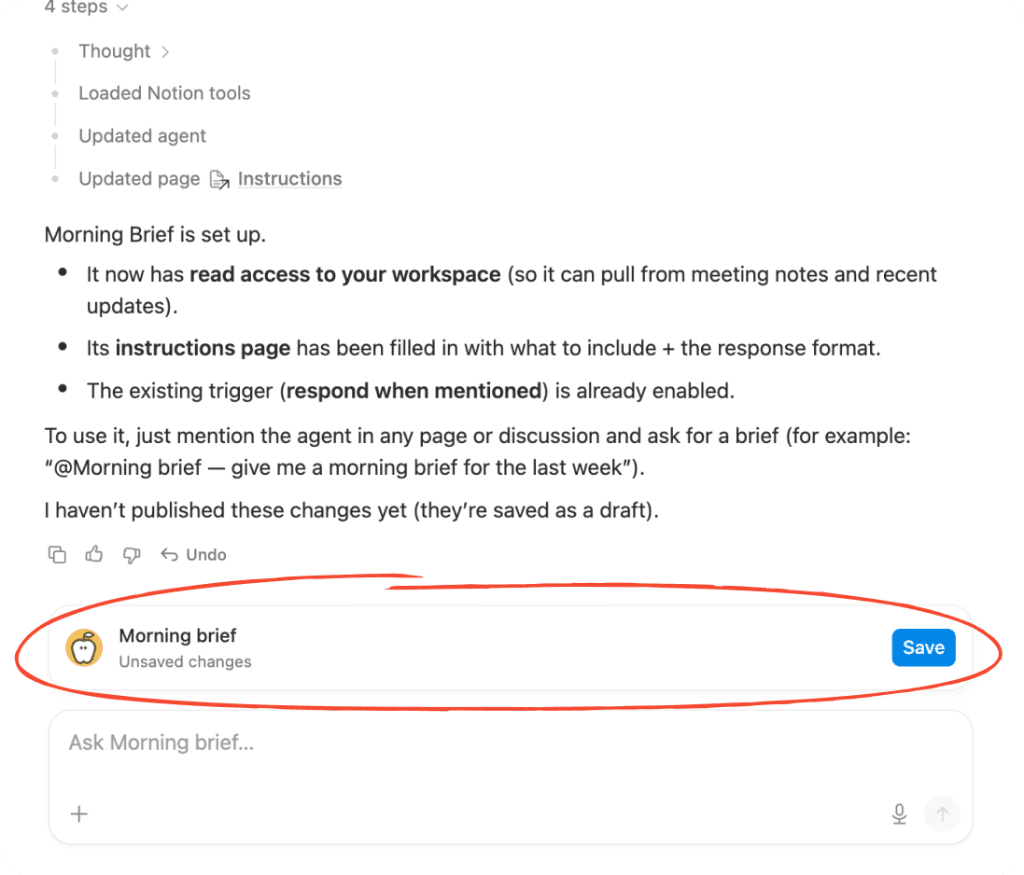
Exploration
I explored ways to bring agent edits and saving to the chat!
Edits & save pill
A pill above the chat input counts unsaved edits and offers a save action.
Edits & save pill
A pill above the chat input counts unsaved edits and offers a save action.
Save edits in a card
A card lists each edit to the agent, with options to open settings or save changes.
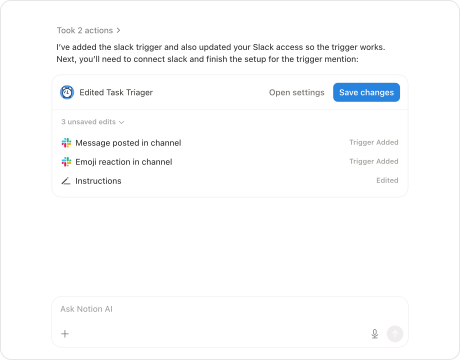
Save edits in a card
A card lists each edit to the agent, with options to open settings or save changes.
Summarized edits & save card
The agent summarizes what it updated, then asks if you're ready to save.
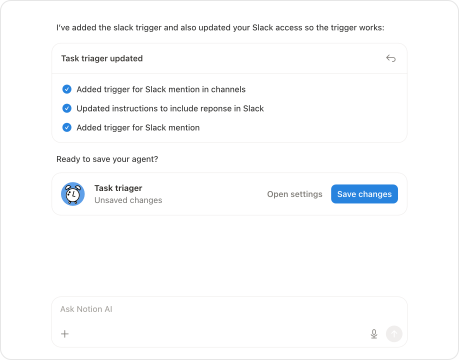
Summarized edits & save card
The agent summarizes what it updated, then asks if you're ready to save.
Decisions
Key interaction decisions
After exploring options, I landed on 2 key interaction decisions: how edits (agent diffs) should appear to the user, and how the flow of saving should work.
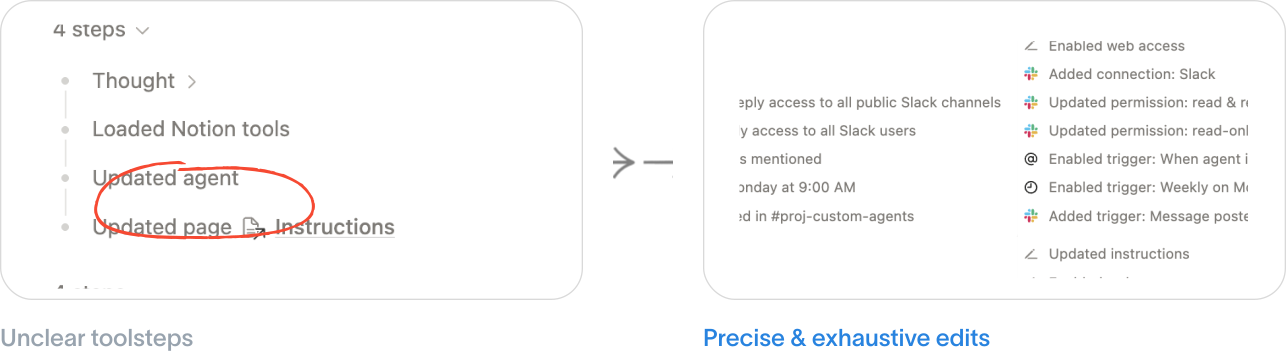
Decision 1: Keep edits precise and decoupled from saving
Instead of forcing a save action on every edit, I decided to keep edits precise in chat, and decoupled from saving.
Decision 2: Single save CTA in Settings
Instead of a persistent save button that users become blind to, I decided keep the agent settings page as the single source of truth for saving, and have a pill that tracks unsaved edits and links to settings.
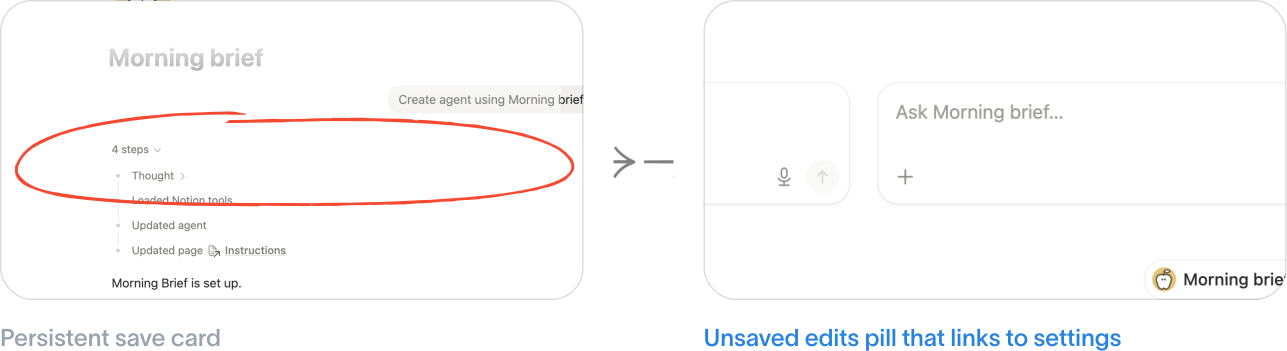
Solution
New flow to understand edits and saving
Here is the 4 part solution I shipped to the agent creation, editing, and saving experience.
Engineering x Design
Working in production code improved my designs
Designing with technical constraints
I extended the agent edit schema to create a consistent, comprehensive UI representation.
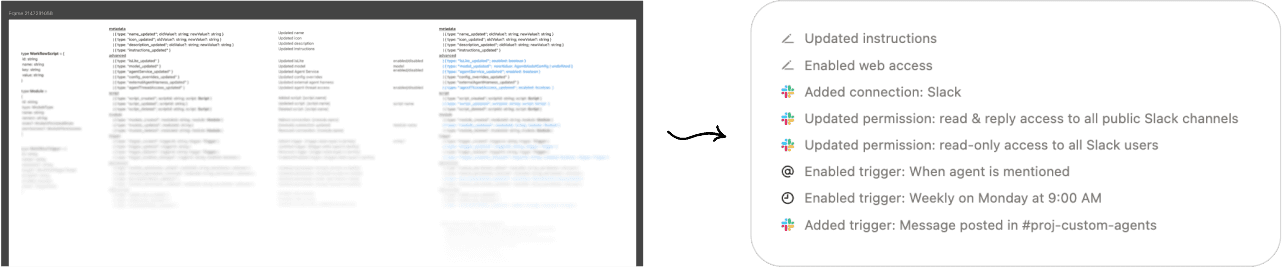
Iterating in real code
Working with the real interaction surfaced problems with the behaviour of the custom prompt, and allowed me to iterate on it.
Reflection
Turning big future visions into small shippable parts
Bridge the long-term, “ideal” vision, with incremental ships you can make today.
Using production code in the design process
Design with technical constraints, and iterate with the real codebase.